See how to copy data form Workflow actions!
In this quick tip, I'll show you how to utilize the latest workflow addition to pass Zoom Join URLs to a contact property to send out their unique zoom link via email!
Step 1
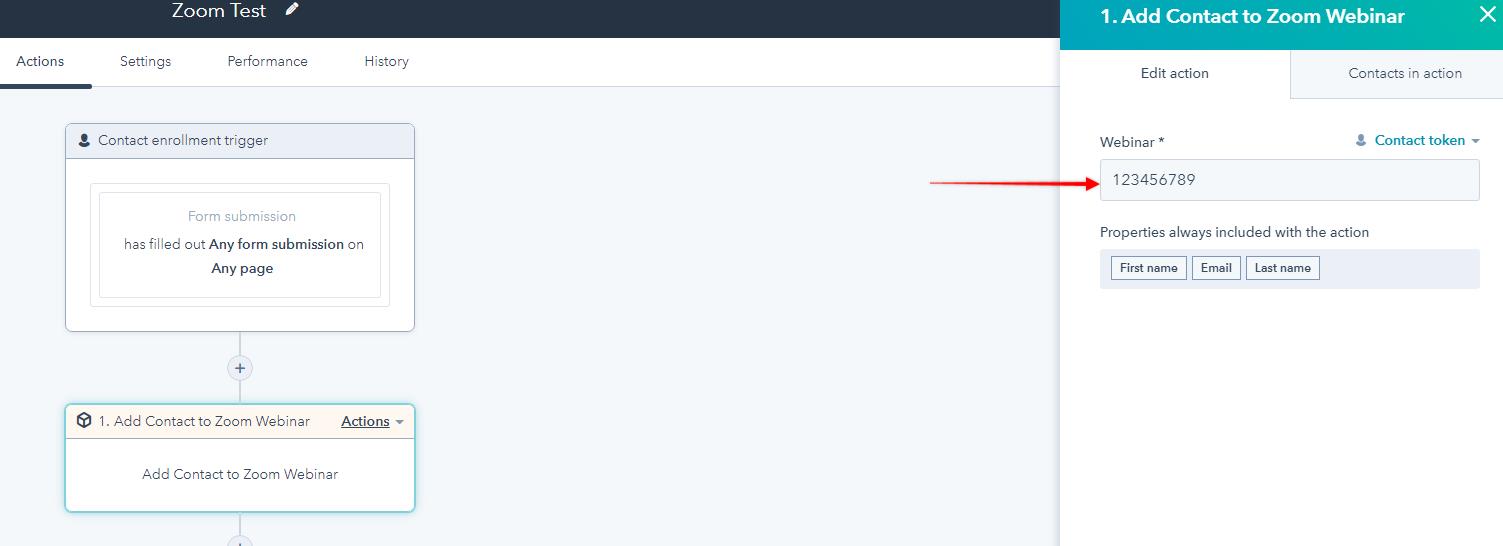
Add your Zoom Webinar ID to the "Add Contact to Zoom Webinar" workflow step as show above.
Step 2
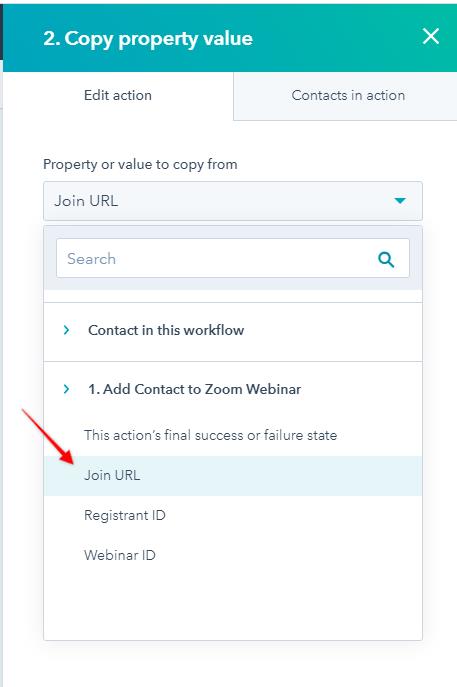
Select the "Copy Property Value" from your next workflow action step.
Step 3

Copy the "Join URL" to the specific URL you want to paste it into. In my case, "Webinar Link". You can then utilize this link in marketing emails so that every contact has their own unique join link!